Santa caught on camera
Santa caught on camera in your own living room. By your own tree. Eating the cookies your kids left out. Send one photo of the room... and get a night-camera video of Santa’s visit back.
Put Santa in MY living roomFree to try · No credit card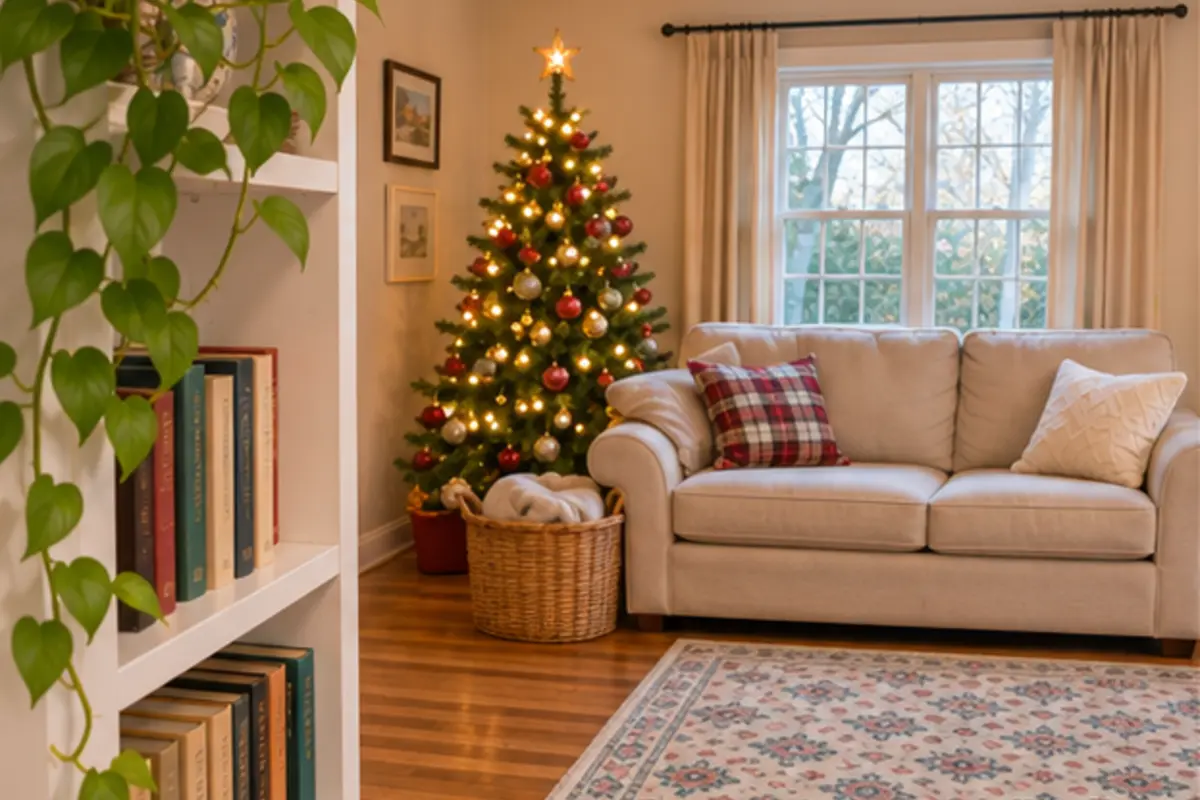
“Mom... is Santa real?”
It starts with little questions. How does he fit down the chimney? How does he visit every house in one night? Then a kid at school says it is just parents.
Soon the questions stop... because they think they already know the answer.
The magic is like a soap bubble. Once it pops you cannot blow it back. Most kids believe for about eight Christmases. This one could be the last.
Why kids spot a fake Santa video
Kids are little detectives. When they watch a Santa video they check three things. The tree... the floor... the cookie plate. If those do not match your house the game is over.
A video of a stranger’s living room is like a birthday card with the wrong name on it. Nice... but clearly not for them.
Watch Santa caught on camera
Each of these videos started as one photo of a living room. Pick a scene for your own room.
Your house. Not a stranger’s.
Your video starts from a photo of your room. So it is your tree on the screen. Your sofa. Your rug. And your kid can look up from the phone and point at the exact spot where Santa stood. That is the moment the doubt melts away.
How it works
- 1
Take a photo of your room
Use your phone. Lights on. Tree in the picture.
 2
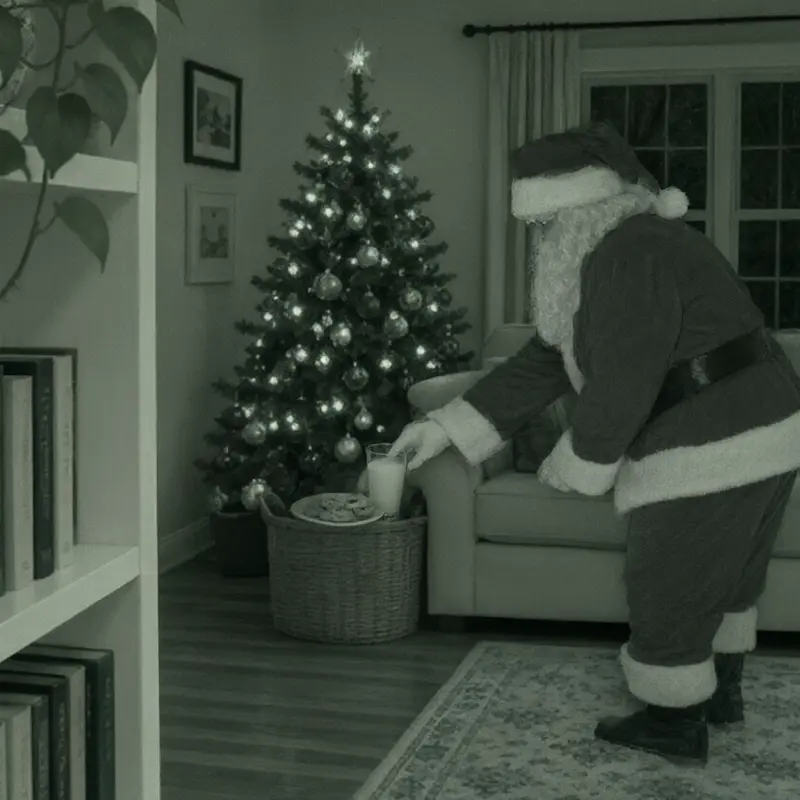
We make the video
We use AI to place Santa in your room in a short night-camera clip. It takes a few minutes.
 3
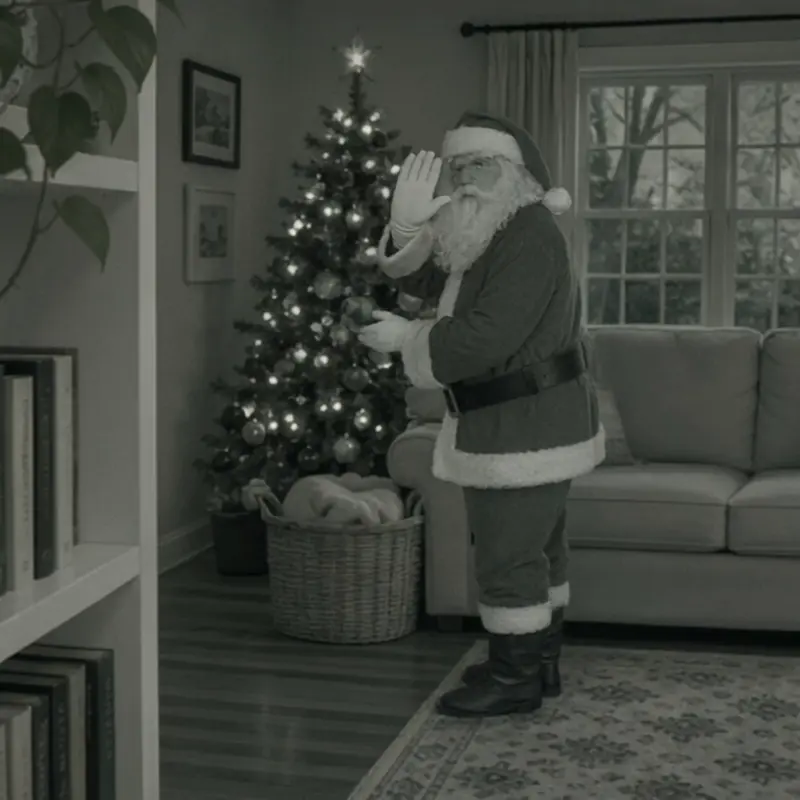
Show your kids
Say “Look who the camera caught!”... then press play. Watch their faces.
Leave a clue that matches the video
Every Santa video comes with a quick setup. It leaves proof in the room for the kids to find in the morning. Crumbs on the plate. A moved ornament. A lost scrap of the nice list...
- Santa’s visit: Choose a clear spot under the tree. Place a wrapped present there. Turn the tag toward the room.
- Checking the nice list: Write a name and a check mark on the paper. Curl one edge like the end of a scroll. Leave this lost piece of the list high beside the tree.
- Cookie break: Enjoy a cookie and leave a few crumbs on the plate. Place it near the tree, beyond little hands and pets. Set an empty cup beside the plate.
- Caught looking: Choose a soft ornament already on the tree. Move it one branch higher. Turn it toward the spot where you took the photo.
Try one free. Keep it for $9.
one time. Not a subscription.
- Save your Santa video to your phone
- Santa’s Christmas Eve delivery video, emailed on the morning of December 24
Kids don’t love it? Reply to any of our emails within 14 days for a full refund.
Secure checkout by Stripe
Frequently asked questions
Will my kids believe it?
The video shows your own room on a night camera. Your tree. Your sofa. Your cookie plate. Kids look from the screen to the room... and the room matches. That is what sells it.
Is this real footage of Santa?
No. We make the video with AI from your photo. It’s for fun, to show your kids.
Do I need an app?
No. It works in the web browser on your phone. There is nothing to download.
How long does it take?
A few minutes. We email you a link when your video is ready.
What does it cost?
Your first Santa video is free. Pay $9 once to keep it. You also get Santa’s Christmas Eve video on the morning of December 24.